Standardize between-session education and skills practice
Give your team one reviewable workflow for assignments, participant practice, and clinician follow-up. Start with a focused pilot before considering a broader rollout.
Built for solo clinicians and growing groups
Illustrative fictional personas, not customer testimonials.
Dr. Maya Chen, PMHNP-BC
Psychiatric Nurse Practitioner
Solo telehealth practice, anxiety / depression / trauma-informed care
Dr. Chen licenses the platform for her practice. She watches a small panel of patients between visits, gets notified the moment the safety classifier flags distress, and walks into each session already knowing what changed.
Dr. Raj Patel, PsyD
Clinical Psychologist and Group Practice Owner
Leads an eight-clinician cash-pay psychology practice
Dr. Patel wants every clinician to reinforce the same evidence-based skills between sessions without flattening clinical judgement. He uses shared care paths, practice-level outcomes, and a branded learner experience to make the quality of the group visible and consistent.
The provider portal, end to end
Ten things you do every week, in one place
Real screenshots of the live provider portal. Click any image to see it full size.
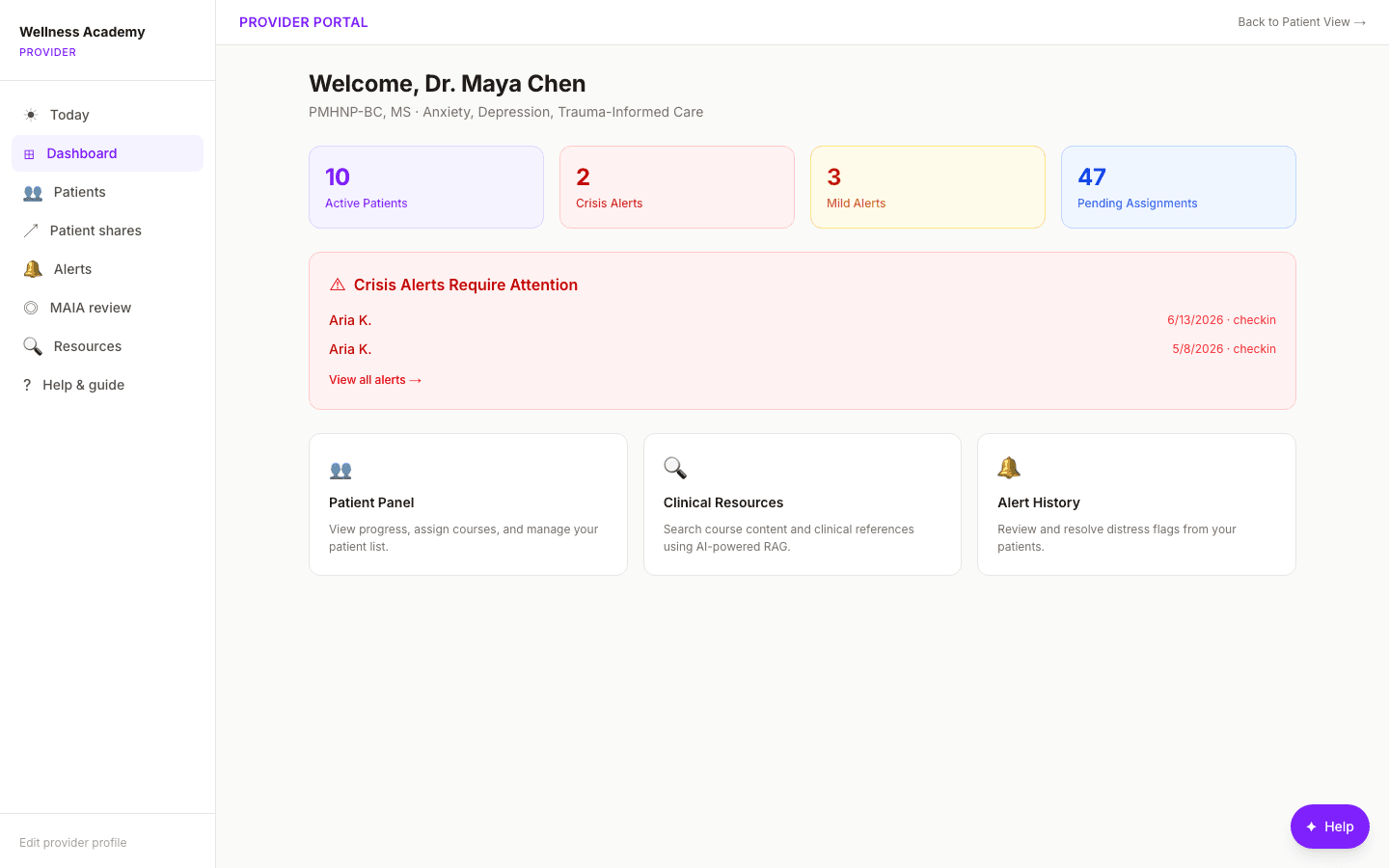
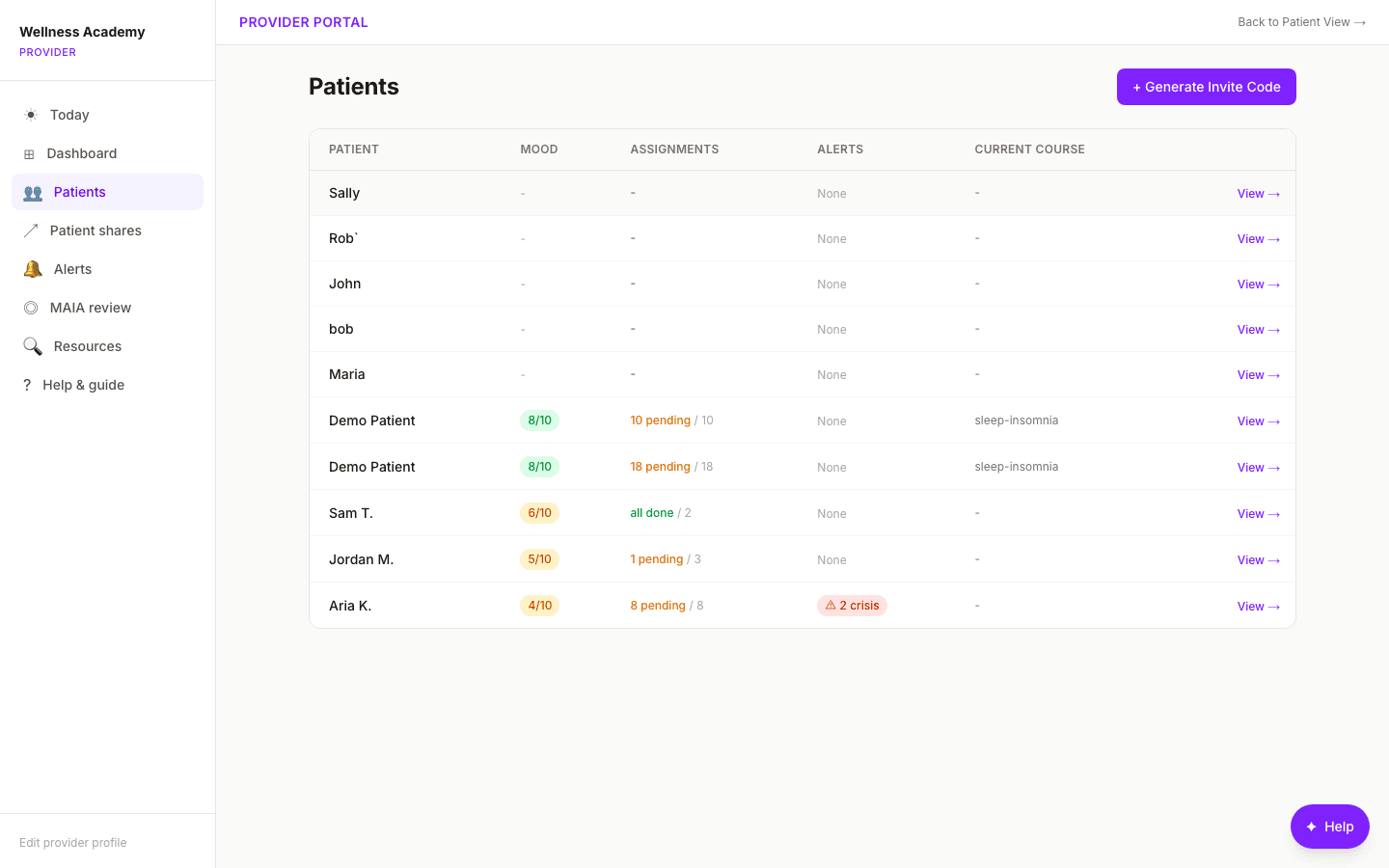
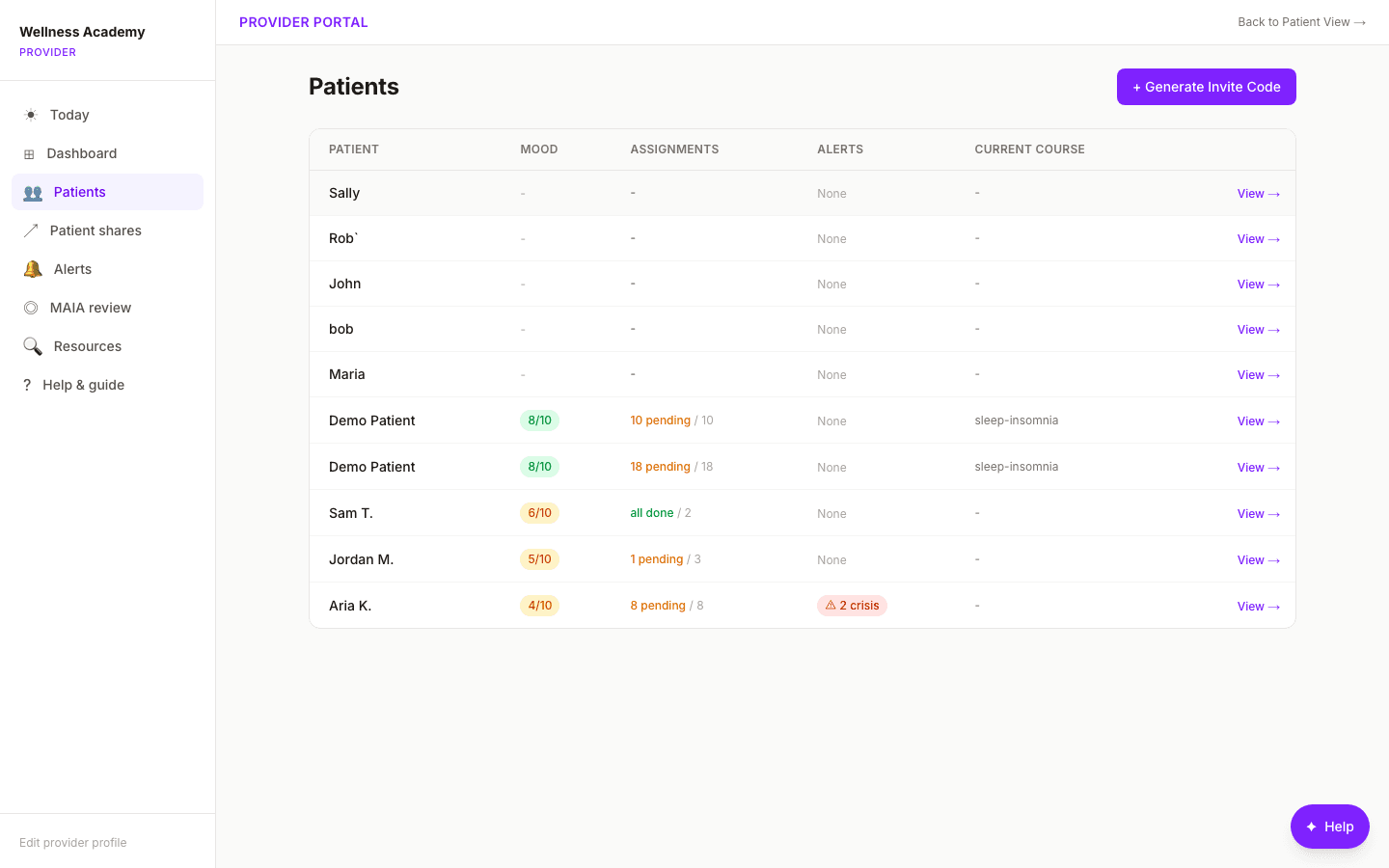
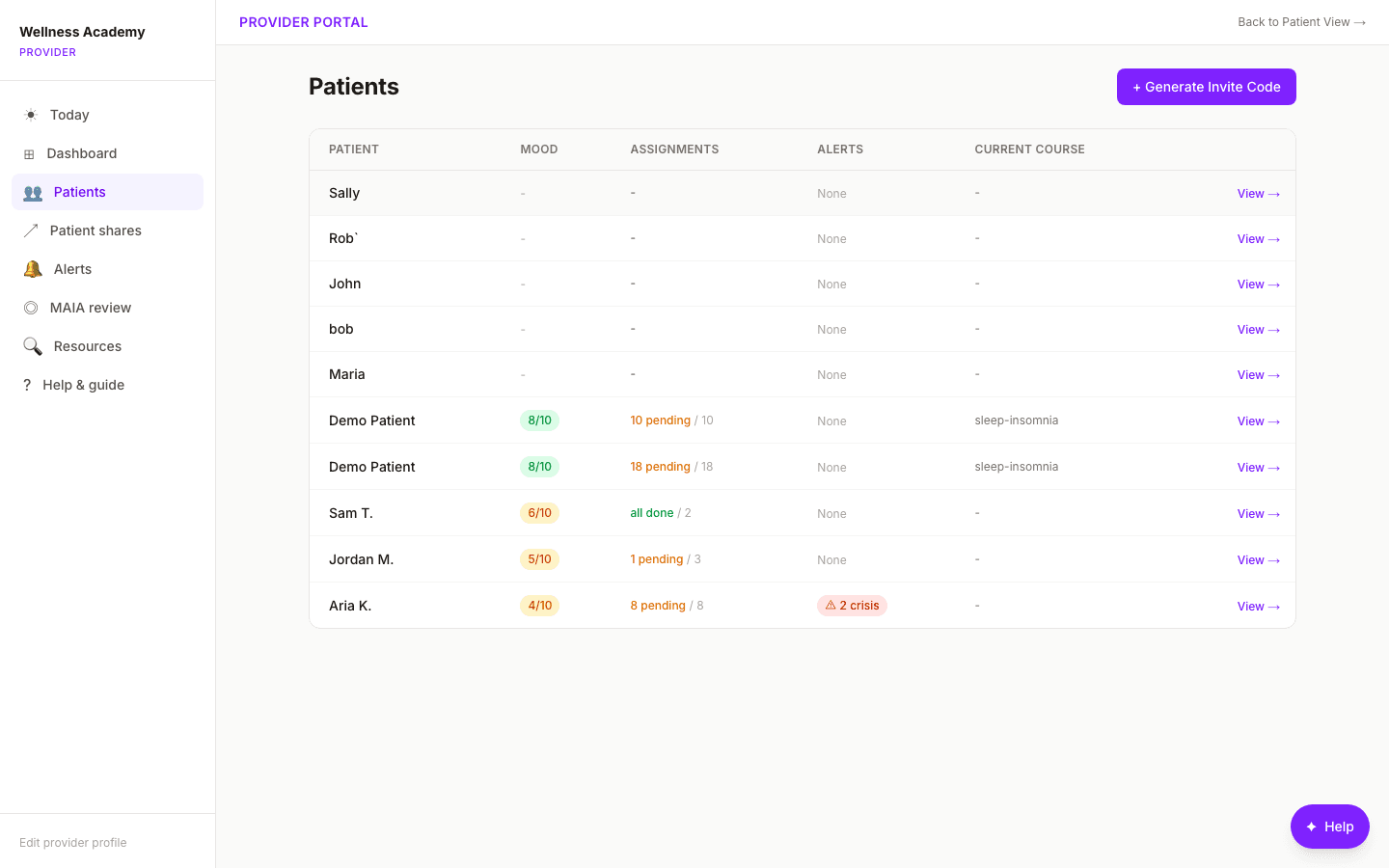
Your whole panel, at a glance
Dr. Chen opens to her full roster with engagement status and the day’s priorities surfaced first, so the patients who need attention rise to the top.
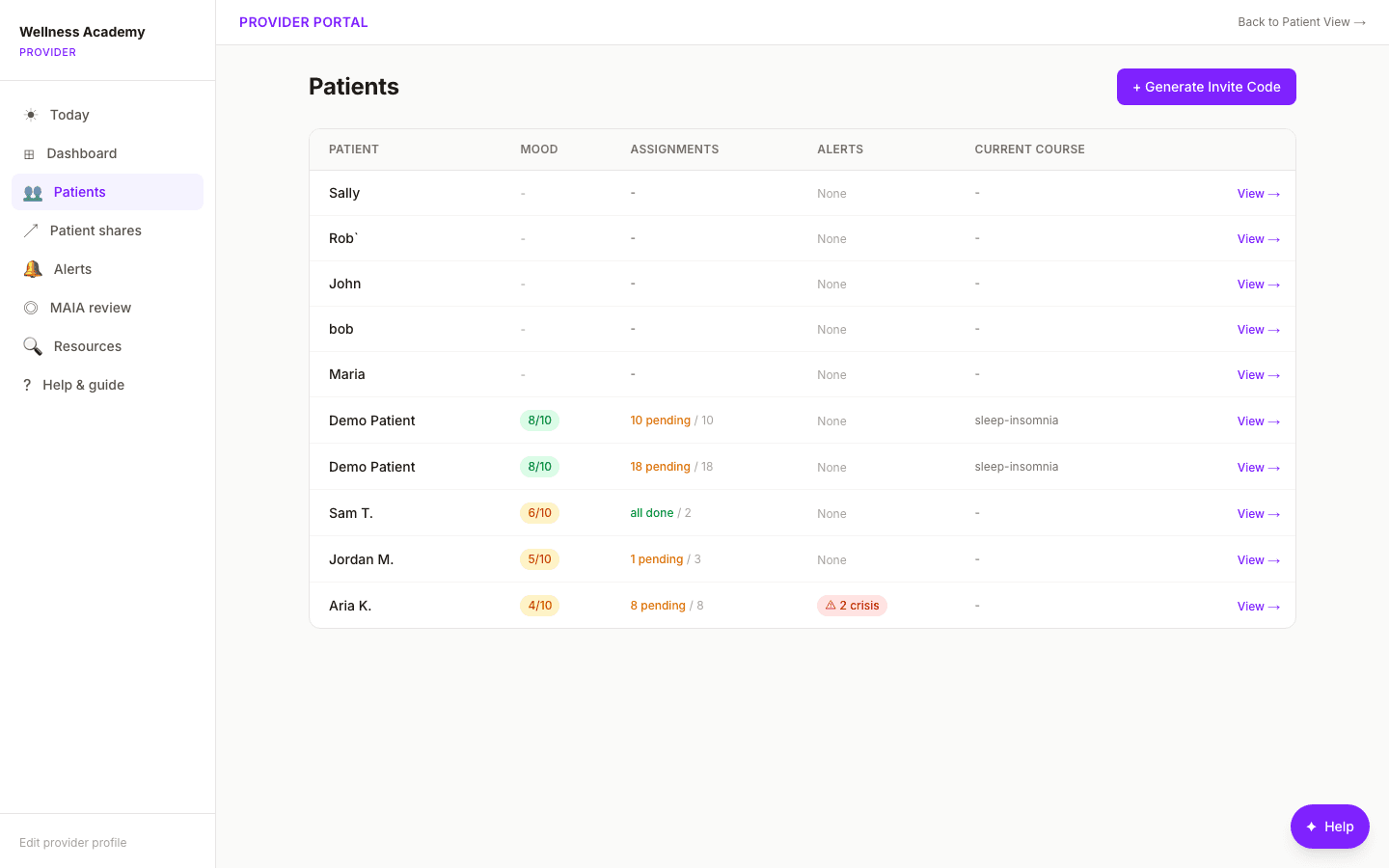
Roster with progress & risk tier
Every patient shows progress, risk tier, and recent activity, so a quick scan tells Dr. Chen who is moving forward and who has gone quiet.
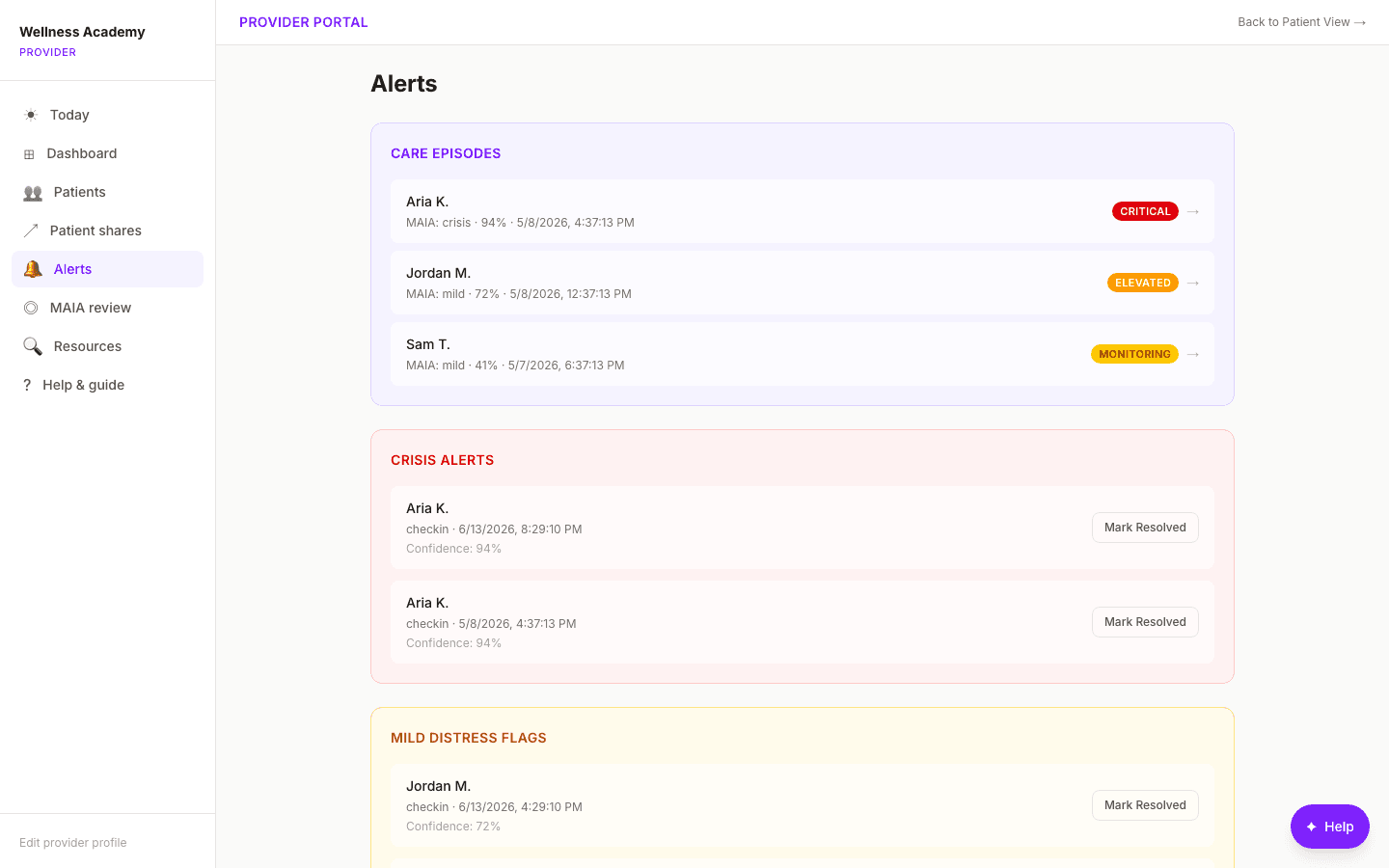
Real-time safety alerts
When the classifier detects crisis language, Dr. Chen is notified immediately with the urgency level and the context that triggered it, so she can reach out proactively.
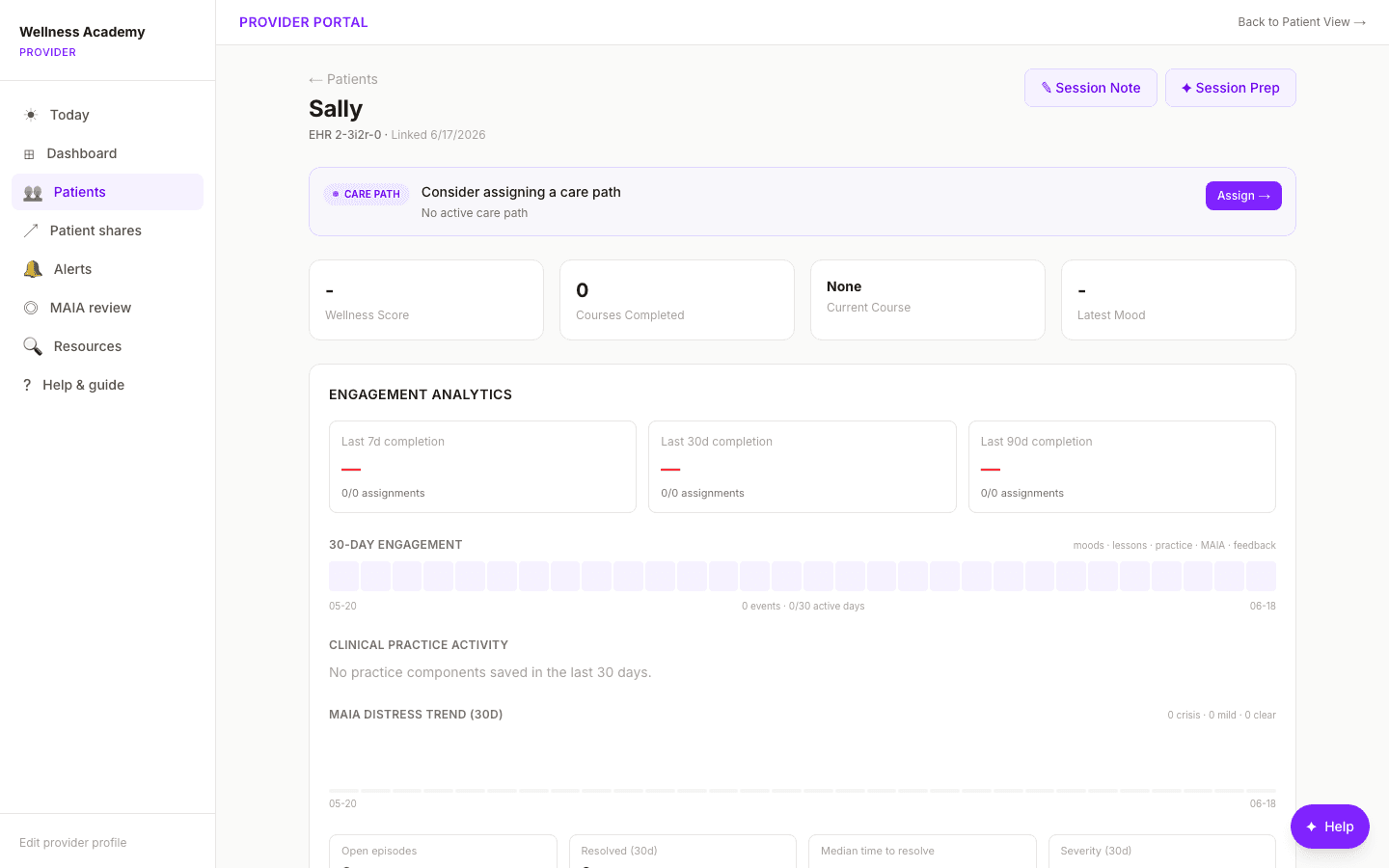
Walk in already knowing
The patient view collects mood trends, completed lessons, and assignments in one place, so Dr. Chen starts each session informed instead of catching up.
AI patient analysis (advisory)
An advisory summary highlights what changed for a patient and suggests next steps. It supports the clinician’s judgement and never prescribes.
Documentation that drafts itself
The composer turns structured inputs into a SOAP draft with an ICD-10 picker, cutting documentation time. Medication and risk language is never AI-authored.
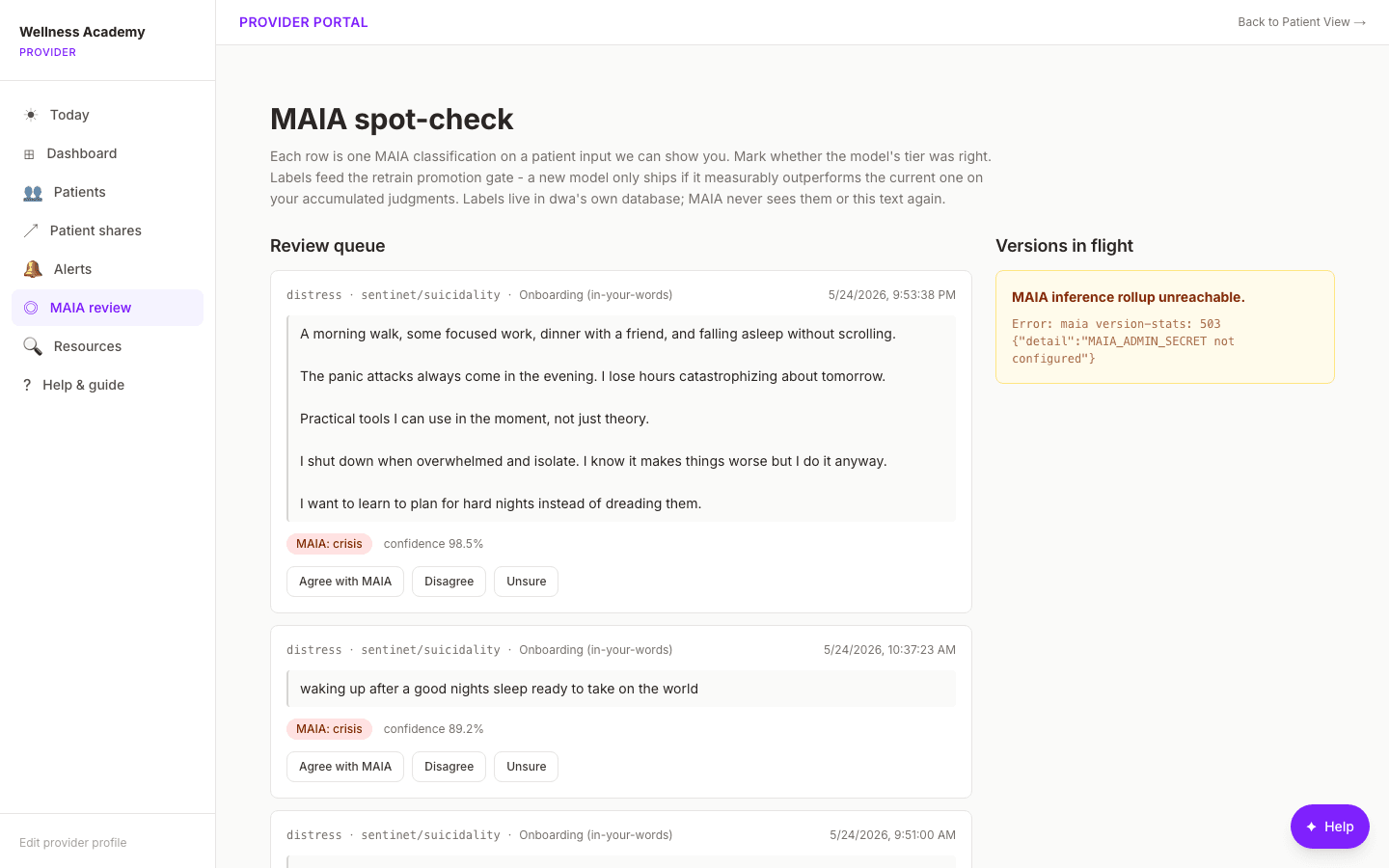
Keep the AI honest
Dr. Chen reviews and labels a sample of the classifier’s calls. Those labels feed the retrain loop, so the safety model improves on her practice’s real data.
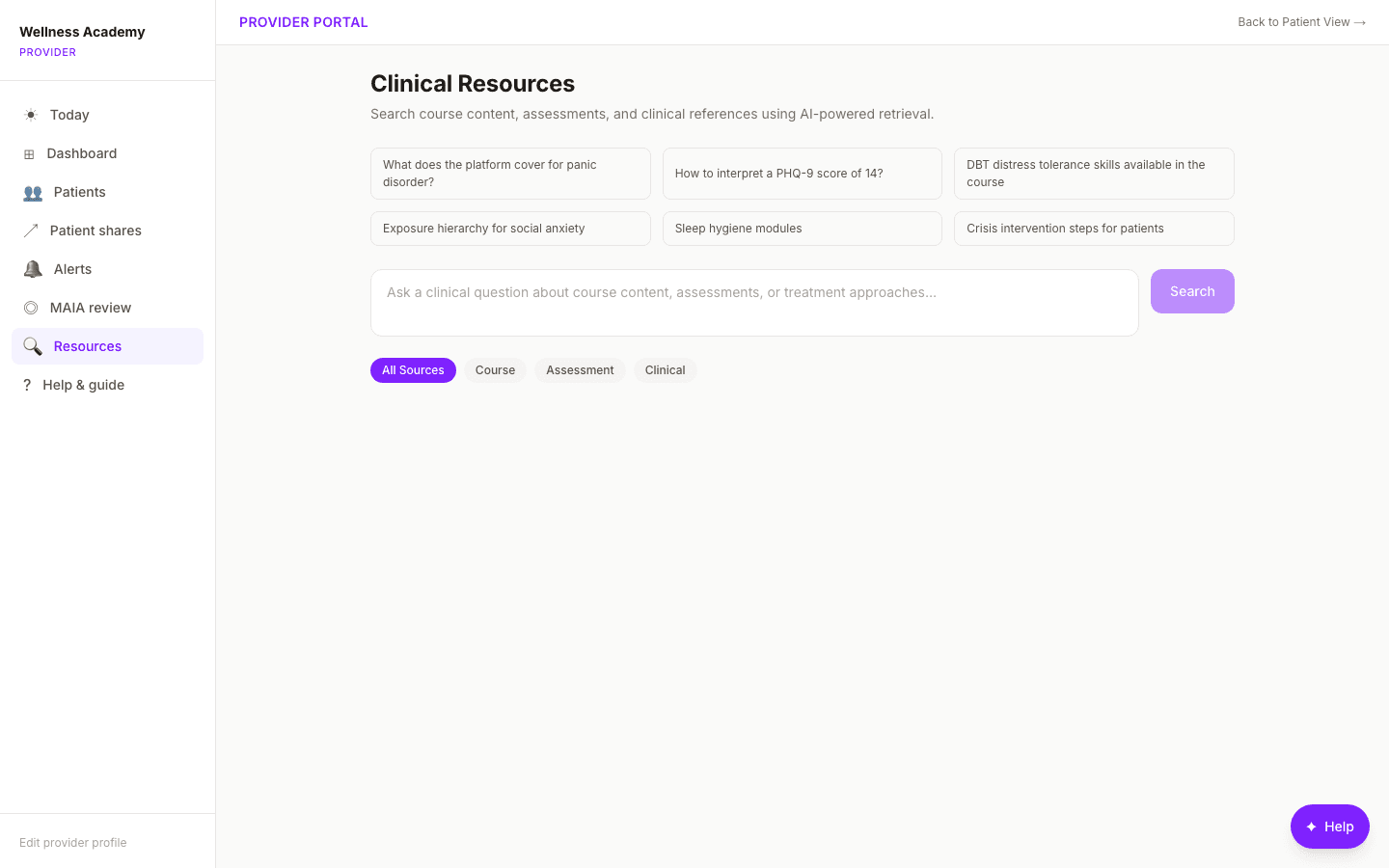
Searchable clinical resources
A retrieval search lets Dr. Chen pull the right lesson or reference to assign in the moment, grounded in the platform’s own curriculum.
Living care plans
Care plans are versioned and append-only, so the history of what was assigned and why stays intact, and lessons can be pushed straight to the patient’s queue.
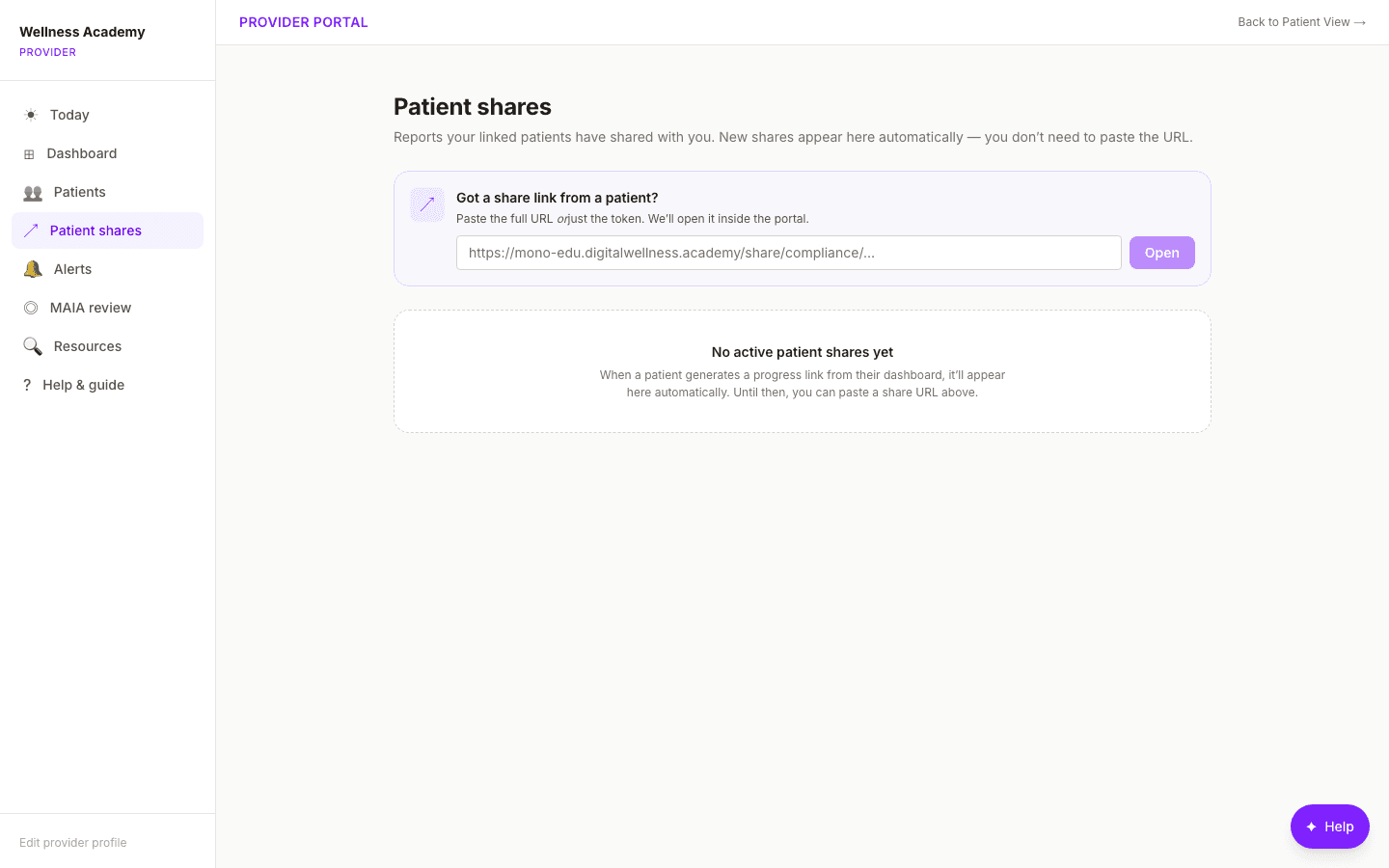
Export & share, audit-ready
Dr. Chen generates compliance-ready progress exports for referrals or records, with every share scoped and logged.
Why practices choose this platform
Make a supporting workflow consistent without giving up clinical judgement.
Focused rollout
Start with one pathway, one cohort, and an explicit launch and closeout decision.
Clinician oversight
Your team defines participant fit, assignments, review cadence, and the safety protocol.
Reviewable evidence
See activation, assignment completion, practice entries, and clinician review completion before you expand.
What practitioners ask
The details that matter before you license a platform.
- What is the best way to evaluate the platform?
- Start with a 6 to 8 week pilot for one focused pathway and a small cohort. The pilot maps your workflow, configures assignments and review steps, supports launch, and ends with evidence for a rollout, revise, or stop decision.
- Can we use protected health information?
- Initial discovery and non-PHI evaluation should not include patient information. Any real PHI deployment requires a separately scoped dedicated environment, appropriate agreements, and a practice-led compliance review before launch.
- Does the AI make clinical decisions?
- No. Every AI surface is advisory and supports your judgement. The patient analysis summarizes what changed and suggests next steps, but medication and risk language is never AI-authored, and documentation is drafted for you to review and sign.
- How does the safety monitoring work?
- The platform can flag supported inputs for provider review and show crisis resources to users. Your practice must define who reviews alerts, the response protocol, and which workflows are enabled. The platform supports a safety process but is not an emergency dispatch service.
- Can I brand it as my own practice?
- Yes. White-label tenancy lets you set your own name, colors, and domain, so your patients experience your brand while the platform runs underneath.
- Does this work for psychology and therapy groups that do not prescribe medication?
- Yes. The learner experience centers on structured education, skills practice, assessments, adherence, and provider coordination. Group practices can standardize what happens between sessions across clinicians while each psychologist or therapist retains clinical judgement and ownership of care.
- What does it cover for patients?
- 964 lessons across 3 schools, so you can serve clinical patients and wellness-focused clients from one platform: Therapeutic, Optimization, and Mind & Performance.
Ready to test one pathway?
See what a 6 to 8 week pilot would require from your team, what gets configured, and how the implementation is evaluated.
Platform walkthrough
See the current practice workflow
Send your preferred day, time, and timezone. We will confirm the 30-minute walkthrough by email.